
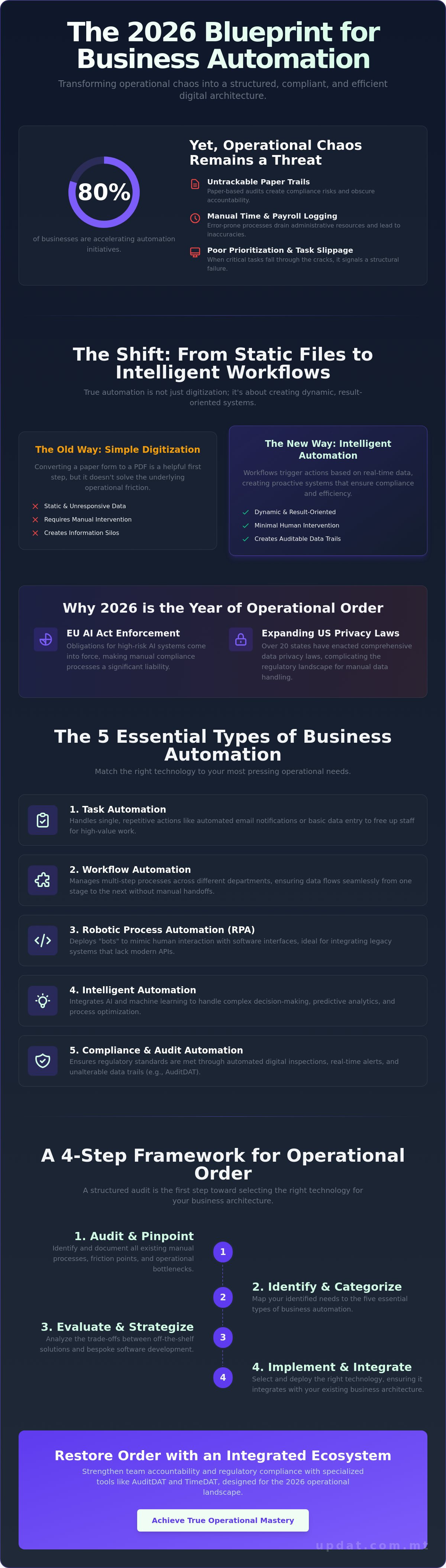
Around 80% of businesses are currently accelerating their process automation initiatives, yet operational chaos remains a persistent threat for those without a clear strategy. You've likely felt the weight of paper-based audit trails that are impossible to track or the drain of manual payroll and attendance logging. When tasks fall through the cracks due to poor prioritization, it isn't just a productivity issue; it's a structural failure. You deserve a system that functions with the same precision you bring to your strategic vision.
Mastering the specific types of business automation is the first step toward reclaiming your time and ensuring regulatory compliance. With the 2026 enforcement of the EU AI Act and new California privacy laws, manual processes are no longer just slow; they're a liability. This guide provides a clear roadmap to transition your operations from manual to digital. You'll discover how categories like AuditDAT and TimeDAT restore accountability and drive high-level efficiency across your entire organization.
Key Takeaways
• Transition from static digitization to intelligent, result-oriented workflows that eliminate manual complexity.
• Identify the essential types of business automation required to manage everything from repetitive data entry to multi-step departmental processes.
• Evaluate the strategic trade-offs between off-the-shelf solutions and bespoke software development to achieve true operational mastery.
• Implement a structured four-step audit to pinpoint friction and select the right technology for your specific business architecture.
• Strengthen team accountability and regulatory compliance by integrating specialized tools designed for the 2026 operational landscape.
Defining Business Automation in the 2026 Operational Landscape
Business automation is the digital architecture of a modern enterprise. It is far more than a collection of software tools; it is a structured system designed to execute tasks with minimal human intervention. In previous years, many organizations confused simple digitization with true automation. Converting a paper form into a PDF is a helpful step, but it doesn't solve the underlying operational friction. Real transformation occurs when you move toward intelligent, result-oriented workflows that trigger actions based on real-time data.
Understanding the various types of business automation is essential for any leader seeking to replace manual friction with digital precision. This transition marks a shift from reactive manual processes to proactive automated systems. Instead of waiting for a supervisor to notice a missed safety check, an automated system identifies the gap and alerts the responsible party immediately. This creates an auditable data trail, which provides the long-term stability and compliance required in high-stakes industries. Business process automation (BPA) serves as the foundation for this evolution, allowing companies to scale without a linear increase in administrative overhead.
The Core Philosophy: Removing Complexity
Automation acts as a strategic architect for business growth. Its primary goal is the removal of complexity. In sectors like manufacturing and hospitality, human error in data logging can lead to significant financial or regulatory consequences. By automating high-stakes environmental checks or attendance logging, you eliminate the variability of manual entry. This establishes a steady, reliable foundation for operational momentum. It empowers your team to focus on high-value strategy rather than chasing paper-based audit trails that are hard to track.
Why 2026 is the Year of Operational Order
The 2026 operational landscape demands a higher standard of digital order. Most obligations for high-risk AI systems under the EU AI Act come into force on August 2, 2026. Simultaneously, businesses operating in the U.S. must navigate a complex environment where 20 states have enacted comprehensive data privacy laws. These regulatory pressures make manual logging a liability. Organizations are shifting toward integrated ecosystems like AuditDAT and TimeDAT to handle workforce management and compliance in one unified environment. For a deeper look at local applications, consult our strategic guide to business process automation. This unified approach ensures that your digital architecture remains compliant while driving maximum efficiency.
The 5 Essential Types of Business Automation for Modern Operations
Operational success in 2026 requires a modular approach to technology. You shouldn't apply a one-size-fits-all tool to unique bottlenecks. Instead, categorize your needs into the five primary types of business automation that drive structural order and eliminate manual friction. Understanding these categories, as detailed in this overview of types of business automation, allows you to map specific technology to your most pressing operational pains.
Task Automation
Handles single, repetitive actions like automated email notifications or basic data entry to free up staff time.
Workflow Automation
Manages multi-step processes across different departments, ensuring data flows seamlessly from one stage to the next.
Robotic Process Automation (RPA)
Deploys "bots" to mimic human interaction with software interfaces, which is particularly useful for legacy systems that lack modern APIs.
Intelligent Automation
Integrates AI and machine learning to handle complex decision-making and predictive analytics.
Compliance and Audit Automation
Ensures regulatory standards are met through digital inspections and unalterable data trails.
Workforce and Attendance Automation
Stop relying on manual paper rosters and spreadsheets. These systems are prone to error and difficult to track during audits. Moving toward automated staff scheduling ensures that your workforce is optimized and compliant with labor regulations. By implementing accurate time tracking for employees, you reduce administrative overhead and ensure payroll accuracy. It's a direct way to remove the complexity of attendance logging and restore order to your HR operations.
Digital Compliance and Inspection Automation
Regulated industries cannot afford the risk of tasks falling through the cracks. In sectors like hospitality and manufacturing, real-time inspections are the only way to guarantee safety. You can automate audit reports to gain immediate utility from your data. This ensures that GxP and HACCP standards are met without the friction of manual filing. Digital inspection automation creates a permanent, unalterable record that protects your business during regulatory reviews.
Task Prioritisation and Accountability
Automation serves as a strategic architect for team accountability. Without a digital system, priority escalation is often subjective or ignored. Automated reminders and escalation triggers ensure that no action item is forgotten. This is a core component of how to automate manual tasks effectively. When you assign a task through a system like ActionDAT, the software tracks progress and alerts supervisors to delays. To begin building your own digital architecture for accountability, register your account and start mapping your workflows today.
Strategic Comparison: Off-the-Shelf vs. Bespoke Automation
Choosing the right digital architecture is a strategic decision that determines your long-term operational fluidity. It's not simply a matter of cost; it's about finding the precise fit for your unique bottlenecks. To fully grasp the scope of what business automation is, you must look beyond individual tools and evaluate the delivery model. While there are several types of business automation, most solutions fall into two categories: standardized SaaS platforms or custom-built architecture. Each path offers distinct advantages depending on your growth stage and regulatory requirements.
When to Choose Ready-to-Use Platforms
Standardized platforms offer immediate utility for universal business needs. If your primary goal is to solve common friction points like basic HR tracking, simple task management, or standard safety audits, a SaaS model is often the most efficient choice. These tools require a lower initial investment and allow for rapid deployment. It's essential to select platforms with robust API capabilities to ensure they don't become digital silos. Systems like AuditDAT and TimeDAT provide a steady, reliable foundation for compliance and workforce management without the lead times associated with custom builds. They offer the stability needed for immediate operational momentum.
The Case for Bespoke Software Architecture
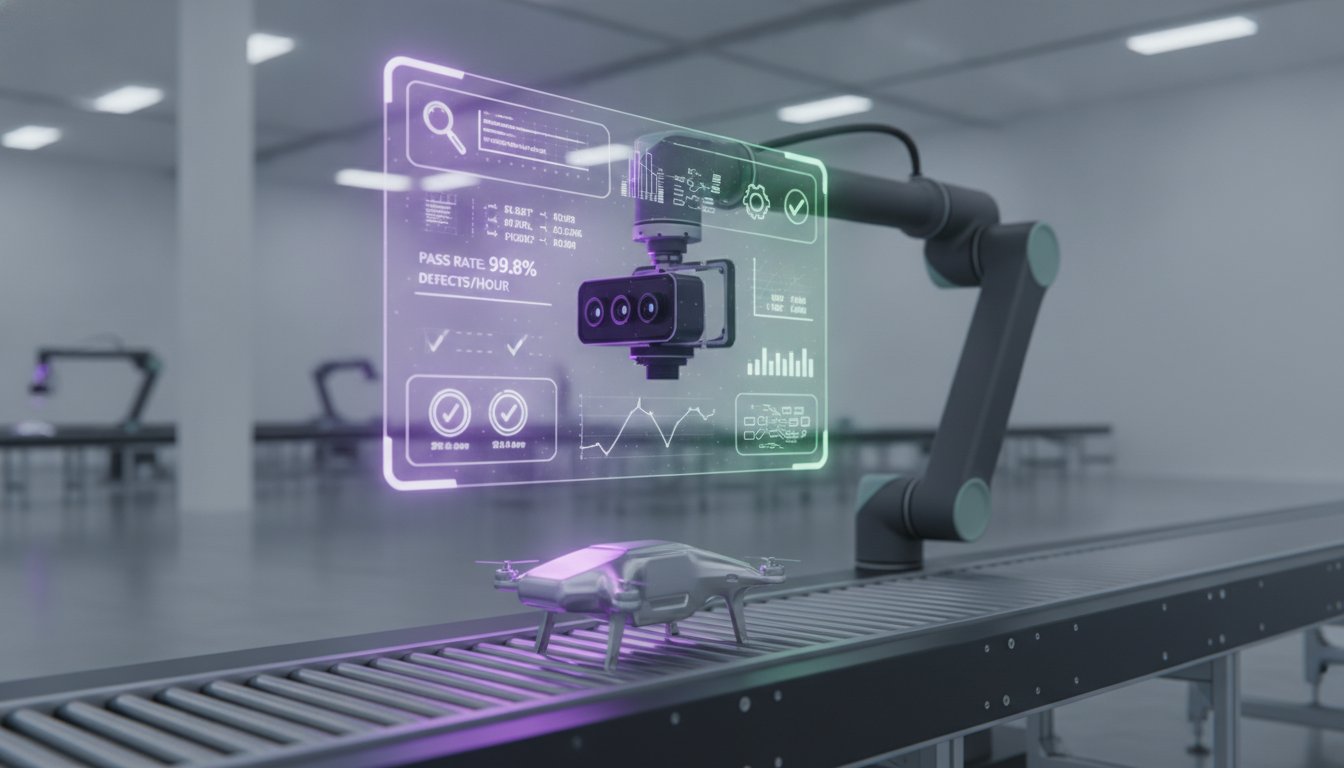
There comes a point where standard tools can't solve the "unsolvable" bottlenecks unique to your business model. This is when bespoke software development becomes a strategic necessity. Custom architecture allows you to own your digital environment completely. It transforms your proprietary workflows into a competitive advantage that off-the-shelf competitors can't replicate. When you build custom, you aren't just buying a tool; you're acting as a strategic architect for your own mastery. This approach is particularly valuable for complex industry pain points in sectors like oil and gas or manufacturing, where standardized software often ignores specific regulatory or technical nuances.
The cost-to-benefit ratio of custom architecture often proves superior for high-complexity environments. While the initial investment is higher, the long-term value lies in the removal of workarounds and the elimination of "subscription bloat." You don't pay for features you don't use. Instead, every line of code serves a specific operational purpose. Modern cloud-based SaaS models still offer significant flexibility for scaling, but they remain bound by the provider's roadmap. Custom builds provide the fluidity and adaptation required to lead your industry rather than just keeping pace with it. For industrial enterprises, partnering with experts like PLM-Sme FZC ensures that complex digitalization projects align with long-term strategic goals. By identifying which types of business automation require this level of precision, you can invest your resources where they will have the most tangible impact on your bottom line.
Implementing Automation: A 4-Step Framework for Operational Order
Restoring order to your operations requires a disciplined methodology. Simply introducing software into a chaotic environment often amplifies the existing friction. To achieve high-level efficiency, you must act as a strategic architect of your own digital environment. This implementation framework ensures that your transition from manual to digital is both logical and sustainable. By following these steps, you can match specific types of business automation to your most critical operational bottlenecks.
Step 1: The Operational Audit
Begin by identifying exactly where paper-based systems or manual logging are causing delays. Paper trails are notoriously hard to track and often lead to data loss during high-stakes audits. Map the flow of information between team members and departments to visualize where the momentum stops. You must quantify the time lost to manual administrative tasks. If your supervisors spend three hours a day chasing signatures or logging attendance, that is a structural failure. Identifying these friction points allows you to prioritize automation where it will have the most immediate impact on your bottom line.
Step 2: Selecting the Right Architecture
Once you've identified the friction, you must select the technology that matches the complexity of the problem. Decide if your needs are met by a specialized module like AuditDAT for compliance or if your unique workflows require a bespoke solution. Integration is vital; any new tool must communicate with your existing systems to avoid creating digital silos. Focus on long-term scalability. Ensure your chosen architecture supports your 2026-2030 roadmap, allowing for fluidity and adaptation as regulatory requirements evolve.
Step 3: Standardizing Data Inputs
Digital order depends entirely on the quality of your data. Automated systems only provide accurate outputs if the inputs are standardized. You must replace vague manual entries with structured digital forms and clear parameters. This ensures that your automated reports are reliable and ready for regulatory scrutiny. When you standardize the "how" and "what" of data collection, you eliminate the variability that leads to human error.
Step 4: Workforce Mastery and Adoption
The final step is ensuring your team can master the new digital tools. Technology only drives efficiency if it is adopted fully by the workforce. Provide clear, direct training that focuses on how these tools remove daily complexity for the user. When employees see that automated systems handle the tedious logging and prioritization for them, adoption becomes natural. This mastery transforms your team from manual laborers into strategic operators. To begin building this architecture for your organization, register your account and start your operational audit today.
Restoring Order with UPDAT: Integrated Audit, Time, and Task Automation
UPDAT Technologies Ltd. acts as the strategic architect for organizations navigating the complexities of the 2026 operational landscape. We provide the digital framework necessary to master various types of business automation, ensuring your systems are both efficient and compliant. Our approach focuses on the removal of manual friction and the restoration of structural order. By integrating specialized modules, we empower leaders to maintain a steady, reliable foundation for long-term growth.
AuditDAT serves as the cornerstone for digital compliance. It replaces unreliable paper trails with unalterable digital records designed to meet rigorous standards like HACCP and GxP. With the EU AI Act enforcement beginning on August 2, 2026, having an automated audit trail is a strategic necessity for high-risk systems. AuditDAT ensures that your inspections are not just completed, but documented with the precision required by modern regulators. It transforms a reactive compliance process into a proactive digital asset.
TimeDAT and ActionDAT complete the ecosystem of operational excellence. TimeDAT provides high-level attendance tracking and workforce management, reducing the administrative overhead of payroll and scheduling. In a regulatory environment where data privacy laws are increasingly complex, TimeDAT maintains the integrity of your workforce data. Simultaneously, ActionDAT ensures that team accountability remains high. It uses automated reminders and escalation triggers to prevent critical tasks from falling through the cracks. These types of business automation work in tandem to create a fluid, adaptable architecture for your business.
Tailored Solutions for High-Stakes Industries
Different sectors face unique operational pains that require specific digital responses. In the Security and Facilities Management industries, real-time logging and incident reporting are essential for maintaining order. UPDAT removes complexity for the Health & Safety sector by automating risk assessments and safety checks. For organizations with highly specialized needs, such as those in manufacturing or Oil & Gas, we provide bespoke software development. This allows you to build a proprietary digital architecture that addresses bottlenecks off-the-shelf tools simply ignore.
Next Steps to Operational Excellence
The transition from manual chaos to digital clarity begins with a single strategic decision. You don't have to accept the inefficiency of tasks falling through the cracks or the risk of non-compliant audit trails. Our team is ready to help you identify the highest friction points in your current workflows. We offer professional consultation and pricing models tailored to your organization's scale and complexity. Take the first step toward mastering your operational environment. Book a demo to see order in action and discover how UPDAT restores high-level efficiency to your business.
Architecture for Operational Mastery
Restoring order to your business isn't just about adopting new tools; it's about building a strategic architecture that removes complexity. By understanding the essential types of business automation, you move your organization from reactive manual logging to a proactive digital ecosystem. This transition ensures your audit trails are never hard to track again, while your workforce remains accountable and compliant. You've learned how to audit your bottlenecks and select the right architecture to drive high-level efficiency across your entire operation.
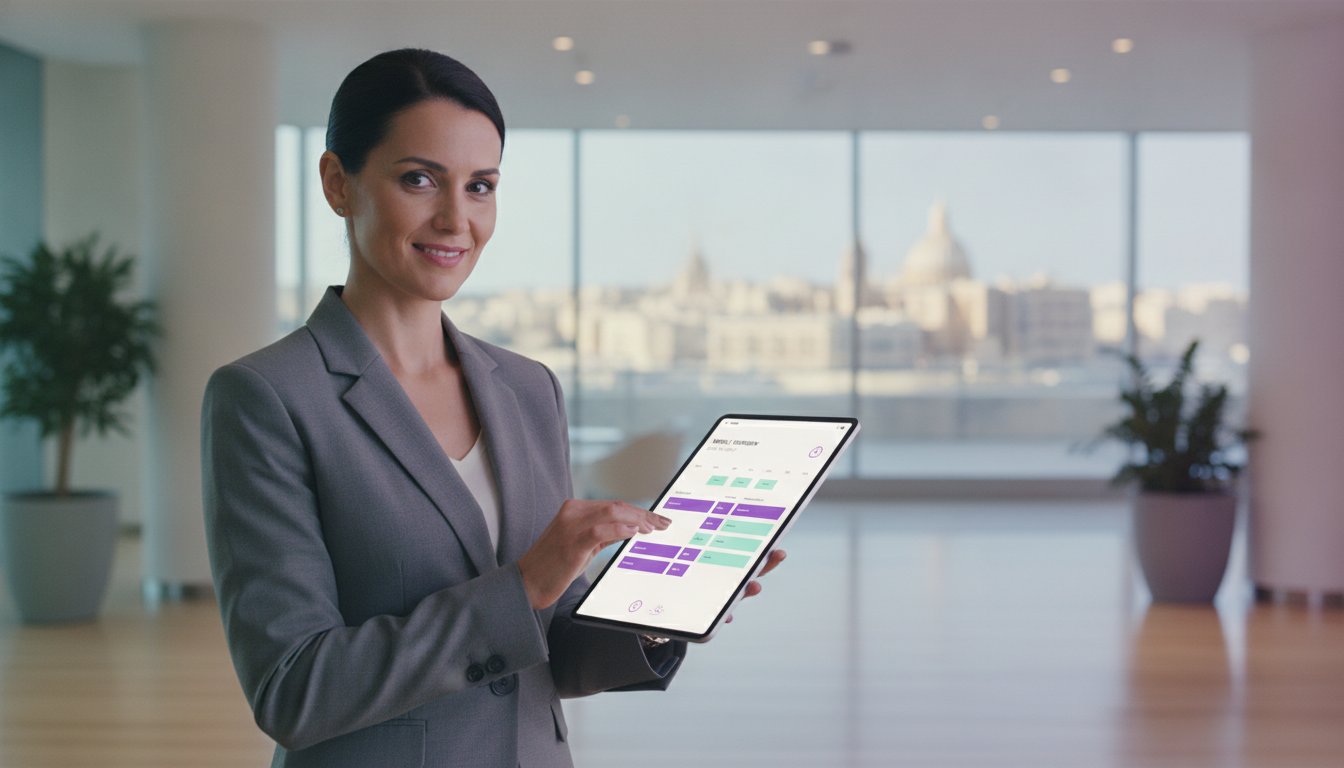
UPDAT Technologies Ltd. brings Maltese expertise in regulatory compliance directly to your professional environment. Our proprietary AuditDAT, TimeDAT, and ActionDAT platforms have already established a steady, reliable foundation for leaders in hospitality, manufacturing, and security. It's time to replace paper-based bottlenecks with digital precision and reclaim your strategic focus. Master your operations; book a demo with UPDAT today. You now have the keys to master your own environment. Start building your reliable architecture for long-term growth today.
Frequently Asked Questions
What is the most common type of business automation used in 2026?
Business process automation (BPA) is the most prevalent type of automation in 2026. Organizations are moving away from isolated task triggers toward hyperautomation, where entire end-to-end workflows are orchestrated digitally. This shift allows companies to manage complex operations with minimal human intervention. By integrating various types of business automation, leaders ensure that data moves fluidly across departments while maintaining a permanent digital record for regulatory compliance.
Can business automation replace manual audits for regulatory compliance?
Digital automation replaces manual, paper-based audits by creating real-time, unalterable data trails. Systems like AuditDAT digitize the entire inspection process, ensuring that compliance checks are performed on schedule and recorded accurately. This removes the risk of human error and prevents data loss. Automated audits provide immediate utility during regulatory reviews, as supervisors can access historical compliance data instantly rather than searching through physical files.
Is it better to buy off-the-shelf software or build bespoke automation?
Choosing between off-the-shelf and bespoke architecture depends on the complexity of your operational friction. Standardized platforms like TimeDAT offer immediate utility for universal needs like attendance tracking. However, bespoke software development is superior for solving unique industry bottlenecks that standard tools ignore. If your business model relies on proprietary workflows that provide a competitive advantage, custom architecture ensures you own and control your digital environment completely.
How does workforce management automation reduce payroll errors?
Workforce management automation reduces payroll errors by eliminating manual data entry and paper-based time sheets. Systems like TimeDAT log employee attendance in real-time, providing an accurate record of hours worked without the variability of human logging. This data flows directly into payroll systems, ensuring that calculations are based on verified digital inputs. It removes the administrative overhead associated with correcting attendance discrepancies and ensures structural order in HR operations.
What industries benefit most from business process automation in Malta?
The hospitality, manufacturing, and security sectors in Malta benefit significantly from digital automation. These high-stakes industries face strict regulatory requirements and complex workforce schedules that manual systems struggle to manage. By implementing specialized platforms, Maltese businesses ensure compliance with local standards while driving operational efficiency. Facilities management and health and safety sectors also utilize these tools to maintain rigorous inspection schedules and improve team accountability across multiple sites.
How long does it take to transition from paper-based systems to digital automation?
Transitioning from paper-based systems to digital automation typically takes between four to twelve weeks, depending on the complexity of the operation. A structured implementation framework, beginning with a thorough operational audit, accelerates this process. Standardizing your data inputs early ensures that the system provides accurate results immediately upon deployment. While the initial setup requires a focused investment of time, the long-term restoration of order and removal of manual friction provide immediate operational momentum.
What is the difference between task automation and workflow automation?
Task automation handles single, repetitive actions, while workflow automation manages multi-step processes across different departments. For example, an automated email notification is a task; however, a system that triggers a safety check, logs the result, and alerts a supervisor to a failure is a workflow. Understanding these types of business automation allows you to apply the correct level of technology, such as trackmybusiness.ai, to your specific operational pains, ensuring that no action item falls through the cracks.
Does business automation require a high level of technical expertise to manage?
Modern automation platforms don't require a high level of technical expertise to manage on a daily basis. These systems are designed with accessible interfaces that empower non-technical staff to master their own operational environment. While the initial digital architecture is configured by experts, tools like ActionDAT are intuitive for the end-user. This focus on ease of use ensures high adoption rates across the workforce and allows your team to focus on high-value strategy.




%201.svg)
